The campaign tracker
The tracker is a web page that shows the whole run. It shows the missions, the classes, the weapon slots, the buffs, and how far the team is from the goal. Anybody with the room link can open it. Nobody installs anything, and the page never asks for the room password.
Open it at m-this.github.io/tf2-archipelago/tracker.
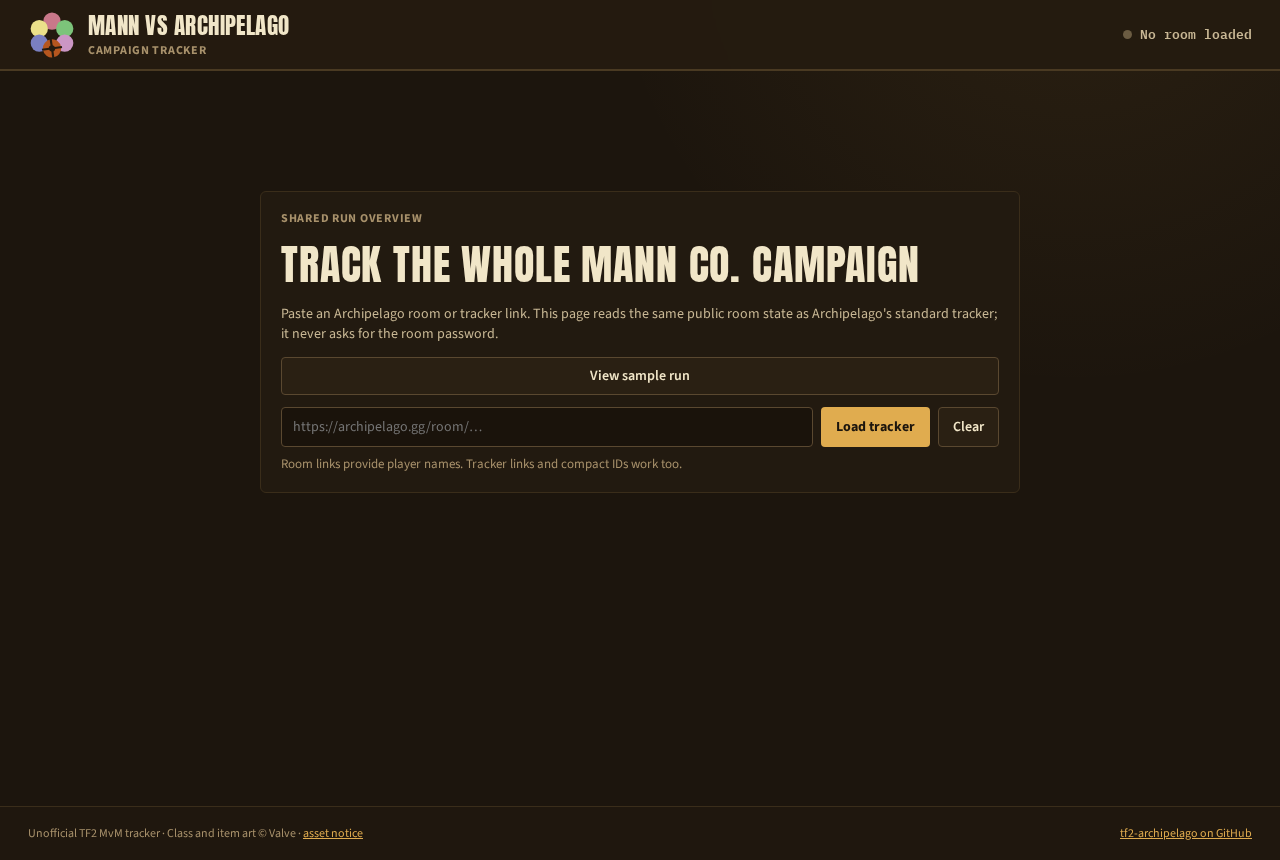
Load a run
- Copy the room link from
archipelago.gg, the one you gave the launcher. The room's tracker link or its compact id work too. - Paste it into the box and press Load tracker.
- If the multiworld has more than one Team Fortress 2 server, pick yours.
View sample run loads made-up data, to look around before you have a room. The page refreshes a live run once a minute. Refresh does it now. Change room goes back to the box.
What it shows
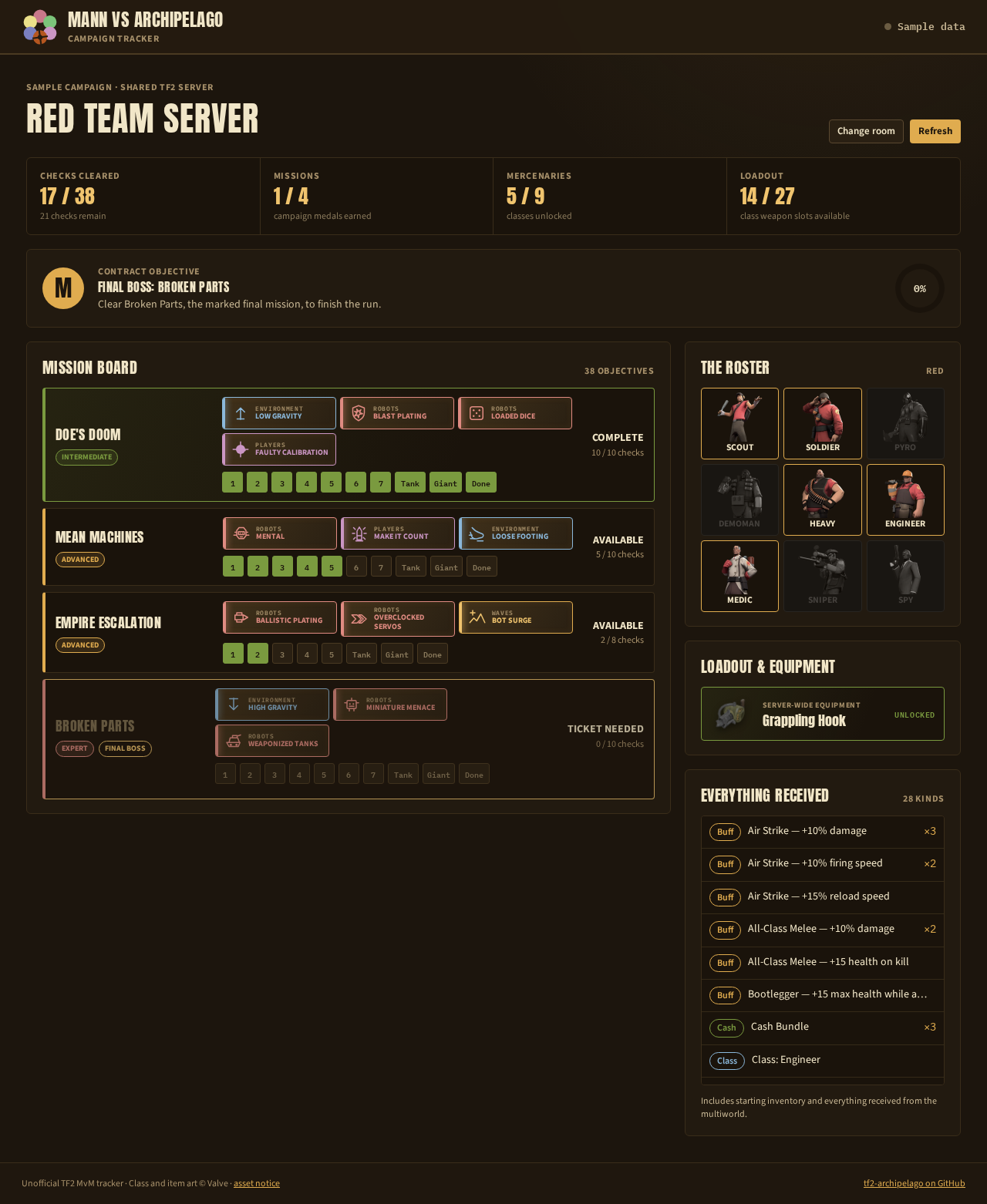
- The four counters at the top: checks cleared, missions cleared, classes unlocked, weapon slots open.
- Contract objective: the goal of the run and how close the team is. With the Final Boss goal, it names the mission.
- Mission board: one card per mission of the run, with its tier and its modifiers. Each card has one box per check: each wave, the tank, the giant, and the clear. A green box is a check the team made. A card is Complete, Available, or Ticket needed.
- The roster: the nine classes. A lit portrait is an unlocked class, a dim one is still locked.
- Loadout and equipment: the server-wide items, such as the Grappling Hook.
- Everything received: every item the run holds, with a count for the ones that stack. It includes the starting inventory.
The class detail
Click a portrait in the roster.
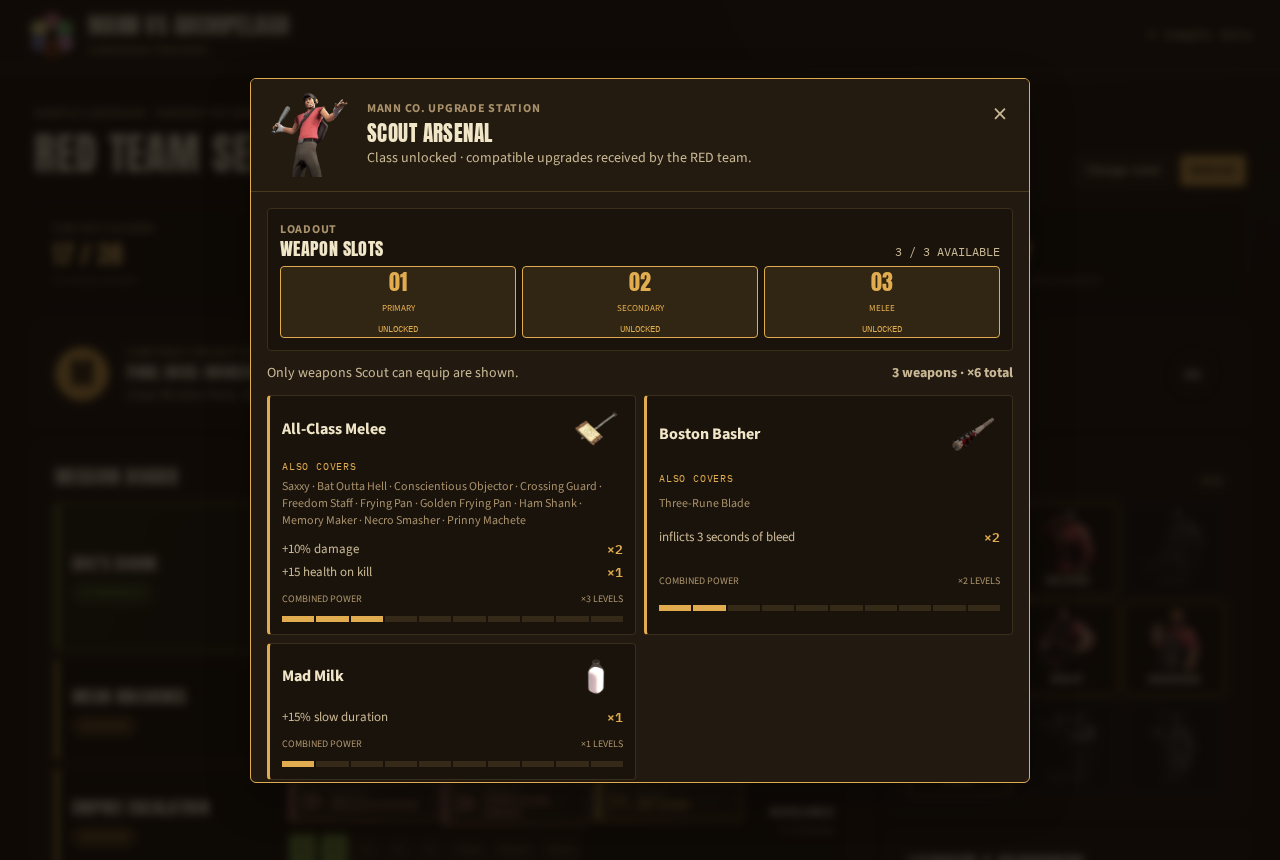
The dialog shows the weapon slots the class has open, then every weapon buff the run holds that this class can equip. Each card names the weapon, the other weapons it also covers, each effect with its stack count, and the combined level. Close it with the cross or the Escape key.
Sharing it
Send the room link to your players and tell them to paste it. The page reads the same public room state as Archipelago's own tracker. So it shows what the room knows, a few seconds behind the game.
Next: Chat commands.