Install on Linux
One file. It is the same program as the Windows launcher, with the same browser interface and the same settings. It works over SSH.
1. Download and run
curl -fsSLO https://github.com/m-this/tf2-archipelago/releases/latest/download/tf2ap-linux-amd64
chmod +x tf2ap-linux-amd64
./tf2ap-linux-amd64
A browser opens on the launcher. On a machine without a desktop, add
-no-browser and open the printed address from wherever you are, or forward
the port over SSH.
32-bit libraries
The TF2 dedicated server is a 32-bit program. On Debian and Ubuntu:
sudo dpkg --add-architecture i386
sudo apt update
sudo apt install lib32gcc-s1 lib32stdc++6 libcurl3t64-gnutls:i386
Fedora calls the C library glibc.i686, Arch calls it lib32-glibc. When a
library is missing, SteamCMD or the server prints its name.
2. Press Start
The first start installs SteamCMD, the TF2 dedicated server, Metamod:Source, SourceMod, the plugin and the bots. It downloads about 14 GB. Every later start takes seconds.
The screen is the one described in Install on Windows.
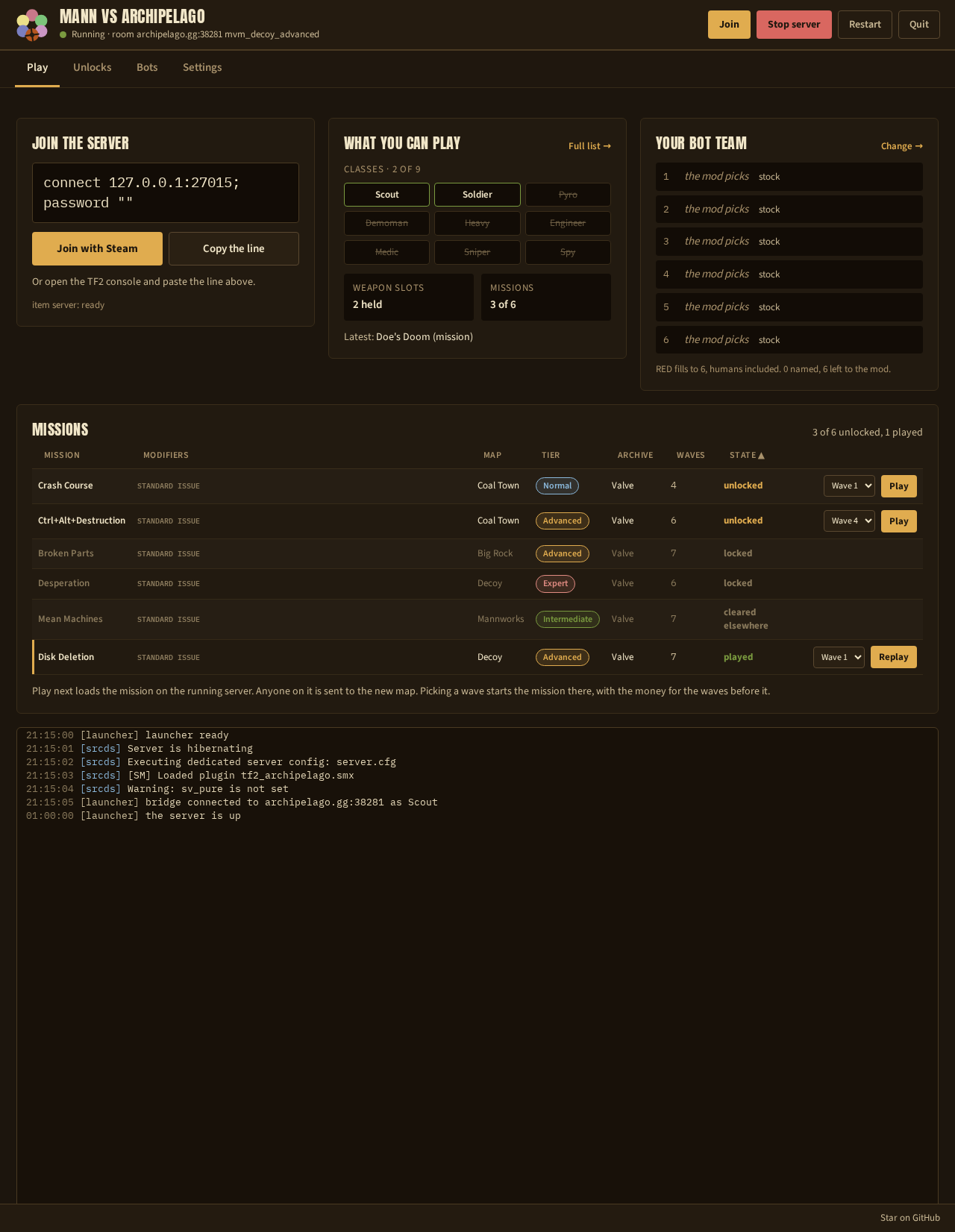
3. Create the session
- Install the Archipelago app.
The launcher looks for
ArchipelagoGenerateonPATH, for an extracted app in~/Applications/Archipelago,~/.local/opt/Archipelago,~/Archipelago,~/Downloads/Archipelago,/opt/Archipelago,/usr/local/lib/Archipelagoand/ap, and for anArchipelago*.AppImagein~/Applications,~/.local/bin,~/Downloads,/optand/usr/local/bin. Anywhere else, set Archipelago app in Settings, then Player options. - Open Settings, then Player options. Choose the run options.
- Press Generate seed.
- Upload the result at archipelago.gg/uploads and create a room.
- Put the room address into Settings, then Archipelago room. Save and press Restart.
Without a desktop, ./tf2ap-linux-amd64 -yaml tf2.yaml writes the player file.
Generate it with the Archipelago app on any machine. See
Create the session.
4. Invite your friends
The Join line shows the connect line. By default only the local network can reach the server. See Invite your friends.
Running it as a service
-consoleprints the log and draws nothing, which is whatsystemdor ascreensession wants. Ctrl+C stops it.-configureedits every setting in the terminal.-setup-funnelchecks Tailscale Funnel. See Fast map downloads with Tailscale.
Reference
Command line
| Command | What it does |
|---|---|
tf2ap-linux-amd64 |
Install whatever is missing, then run |
tf2ap-linux-amd64 -room <host:port> |
Set the room address first |
tf2ap-linux-amd64 -no-browser |
Print the address instead of opening a browser |
tf2ap-linux-amd64 -addr host:port |
Serve on a fixed address |
tf2ap-linux-amd64 -console |
Print the log and nothing else |
tf2ap-linux-amd64 -configure |
Edit every setting in the terminal, then exit |
tf2ap-linux-amd64 -setup-funnel |
Check Tailscale Funnel and print any approval URL |
tf2ap-linux-amd64 -install |
Install or repair the server, then exit |
tf2ap-linux-amd64 -status |
Show the settings and the install state |
tf2ap-linux-amd64 -yaml <path> |
Write the Archipelago player file, then exit |
tf2ap-linux-amd64 -env |
List the environment variables it reads, then exit |
tf2ap-linux-amd64 -version |
Print the version and the pinned tool versions |
Environment variables
Every setting also reads an environment variable, with the names in Run options. A variable wins over the saved settings:
AP_ROOM=archipelago.gg:12345 SRCDS_BOT_TEAM_SIZE=4 ./tf2ap-linux-amd64
Where it keeps things
| Path | Holds |
|---|---|
~/tf2-archipelago/ |
The game files, SourceMod and SteamCMD |
~/tf2-archipelago/tf2.yaml |
The player file |
~/tf2-archipelago/bridge-state/ |
The checks and unlocks of the run |
~/.config/tf2ap/config.json |
Your settings |
TF2AP_INSTALL_ROOT moves the first three to another disk.
Next: Create the session.